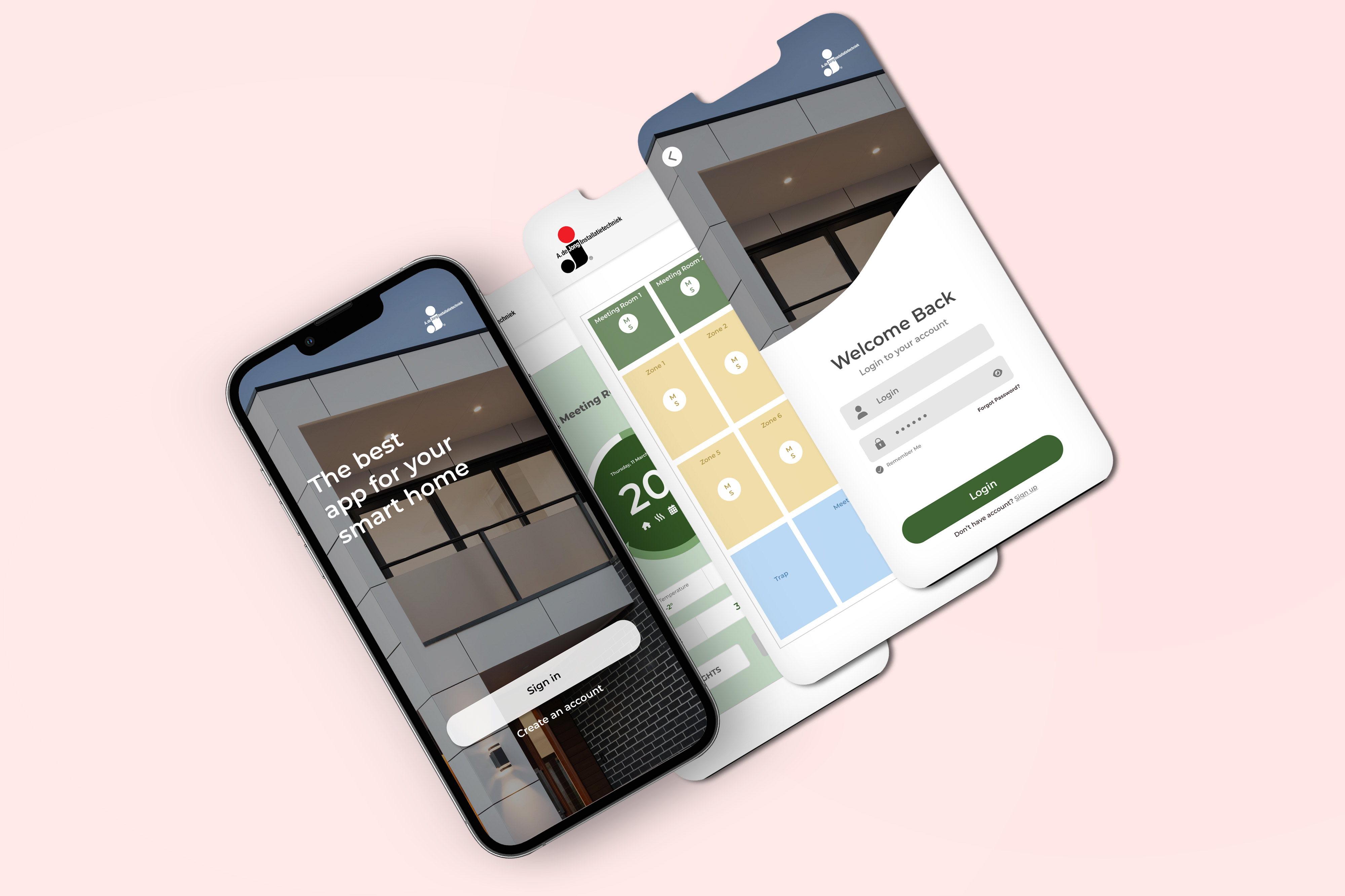
The Smart Home App is a mobile experience designed to help users monitor and control connected devices throughout their homes. The project focused on transforming a complex home-automation system into a clear and accessible interface. Users can navigate between rooms, check environmental conditions, control devices, and receive important status updates from one centralized dashboard. My goal was to create an experience that feels intuitive for first-time users while remaining efficient for people who interact with their smart-home system every day.
Smart-home ecosystems often include devices from different categories, such as lighting, temperature control, security systems, air-quality sensors, and household appliances. Although these devices are designed to simplify everyday life, managing them can quickly become overwhelming. Users may need to move between several screens or applications, interpret technical information, and repeatedly perform the same actions. The main challenge was therefore: How might we help users control their entire home from one place without making the experience feel complicated or technical? The solution needed to make device status immediately understandable, reduce the number of steps required to complete common actions, and give users confidence that their home was operating as expected.
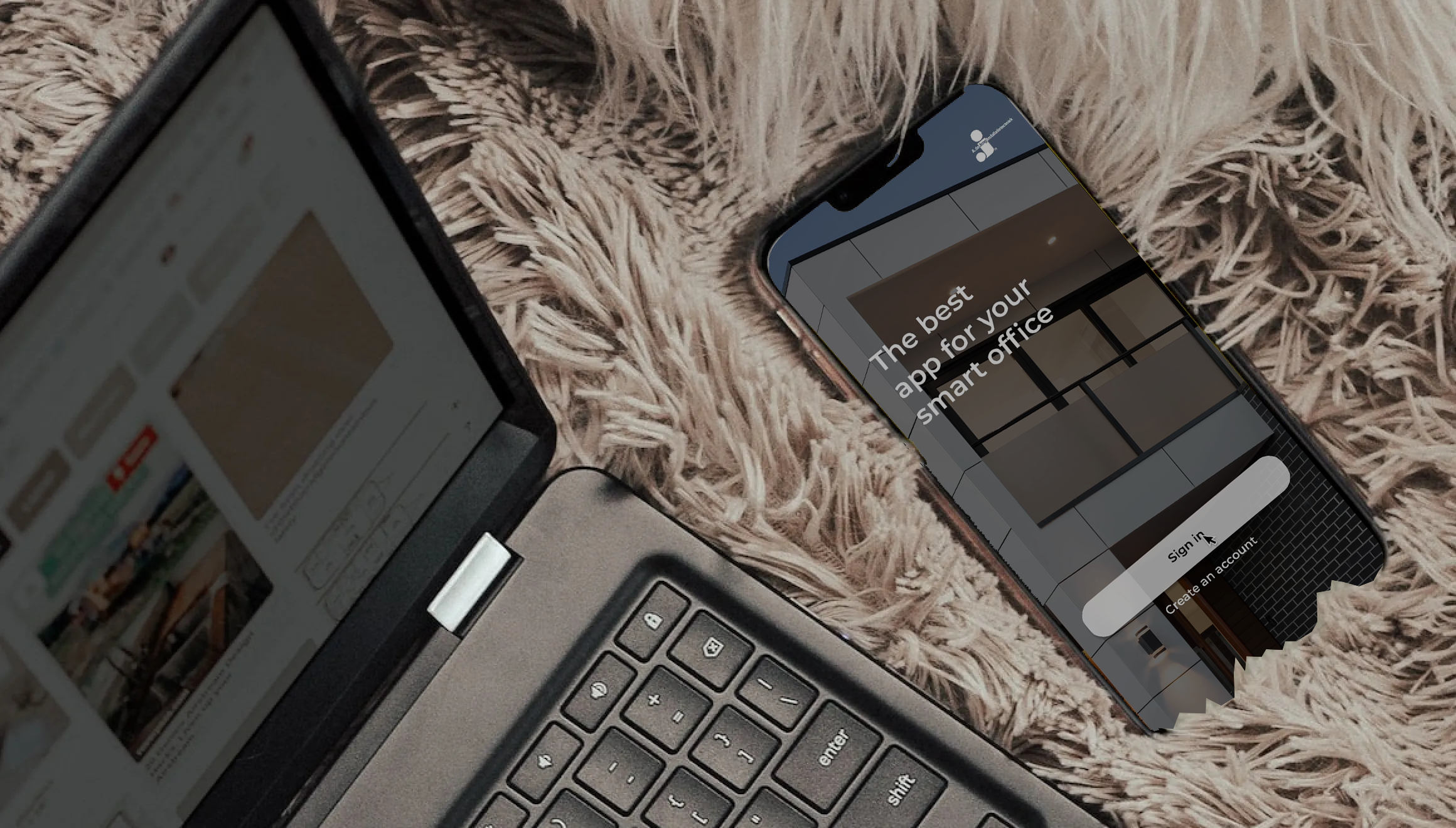
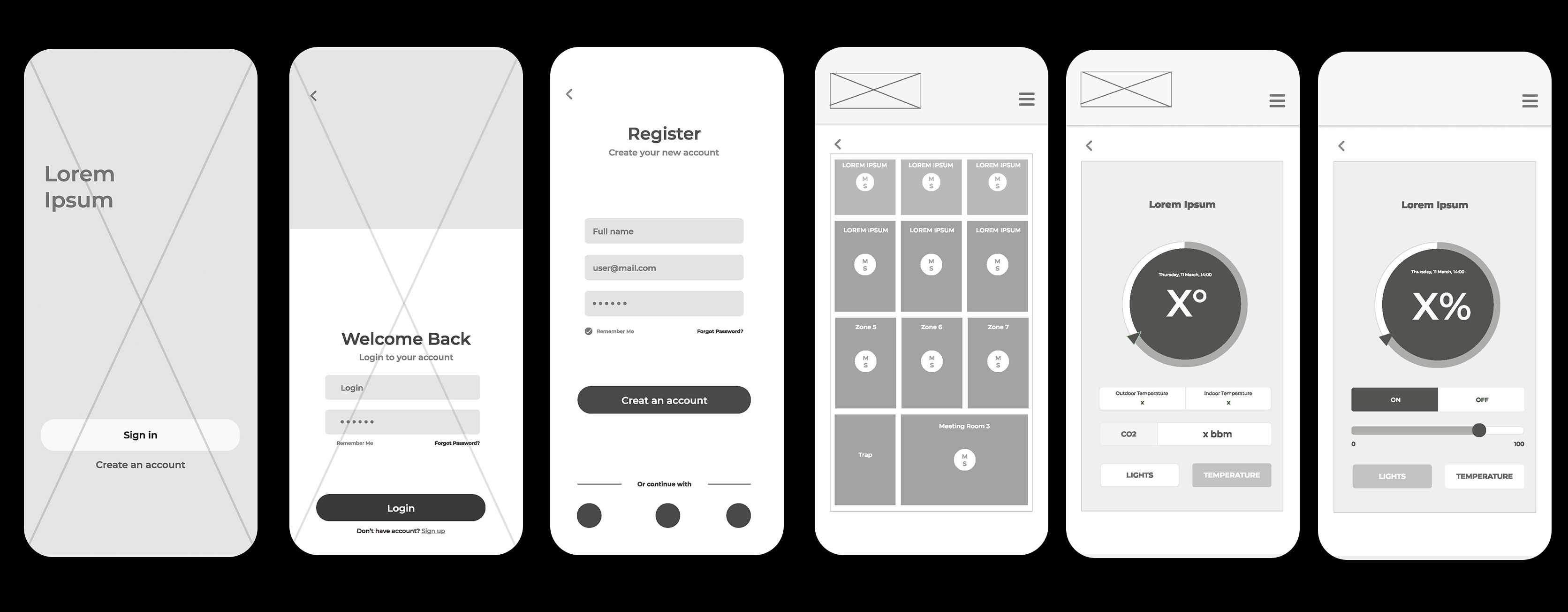
Creating an app for a smart house involves several stages, from concept development to deployment. Here's a high-level overview of the work process for creating such an app:
Idea and Conceptualization:
Market Research:
Requirements Gathering:
Design Phase:
Development:
Testing:
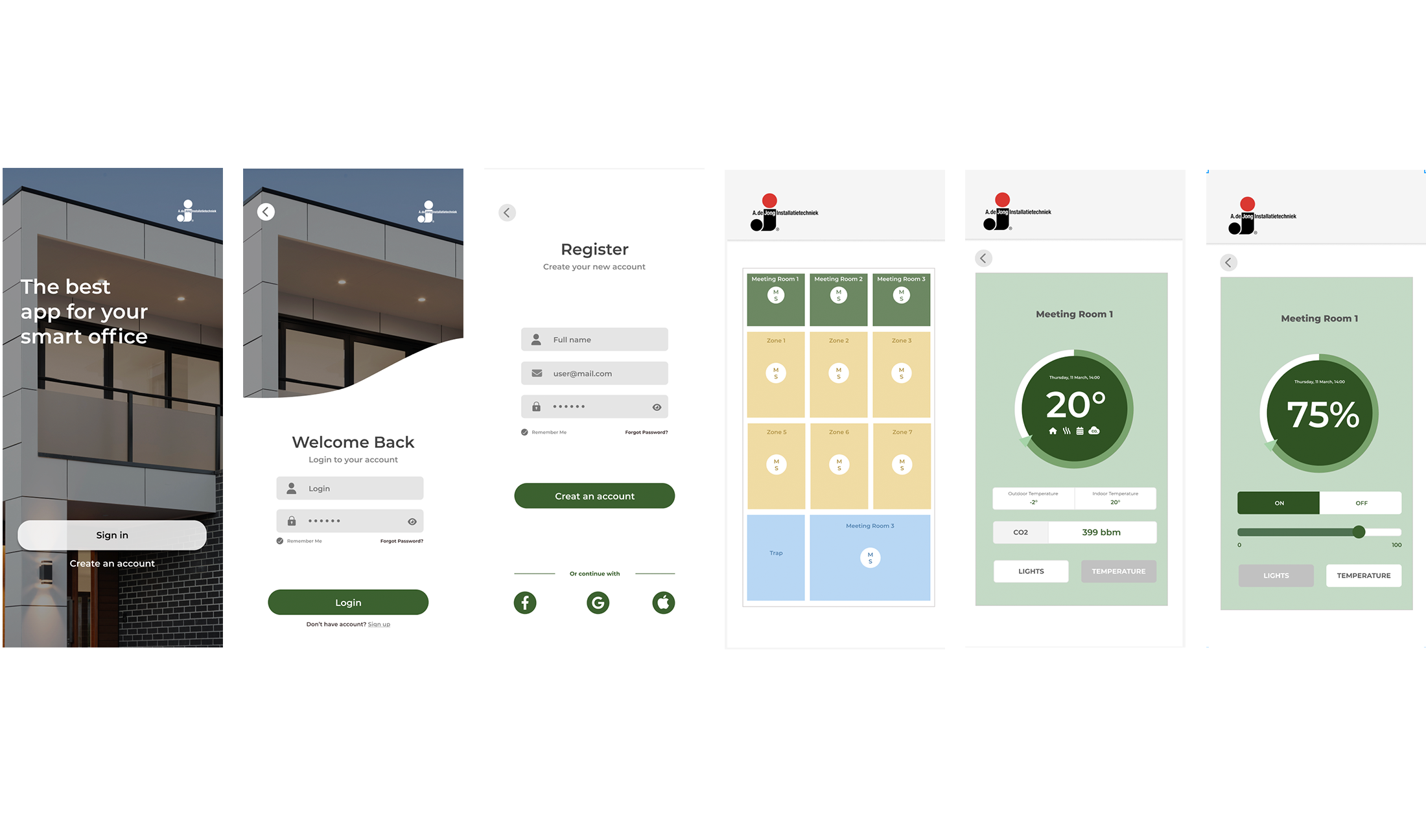
The discovery phase focused on understanding three questions:
The analysis highlighted several recurring needs:
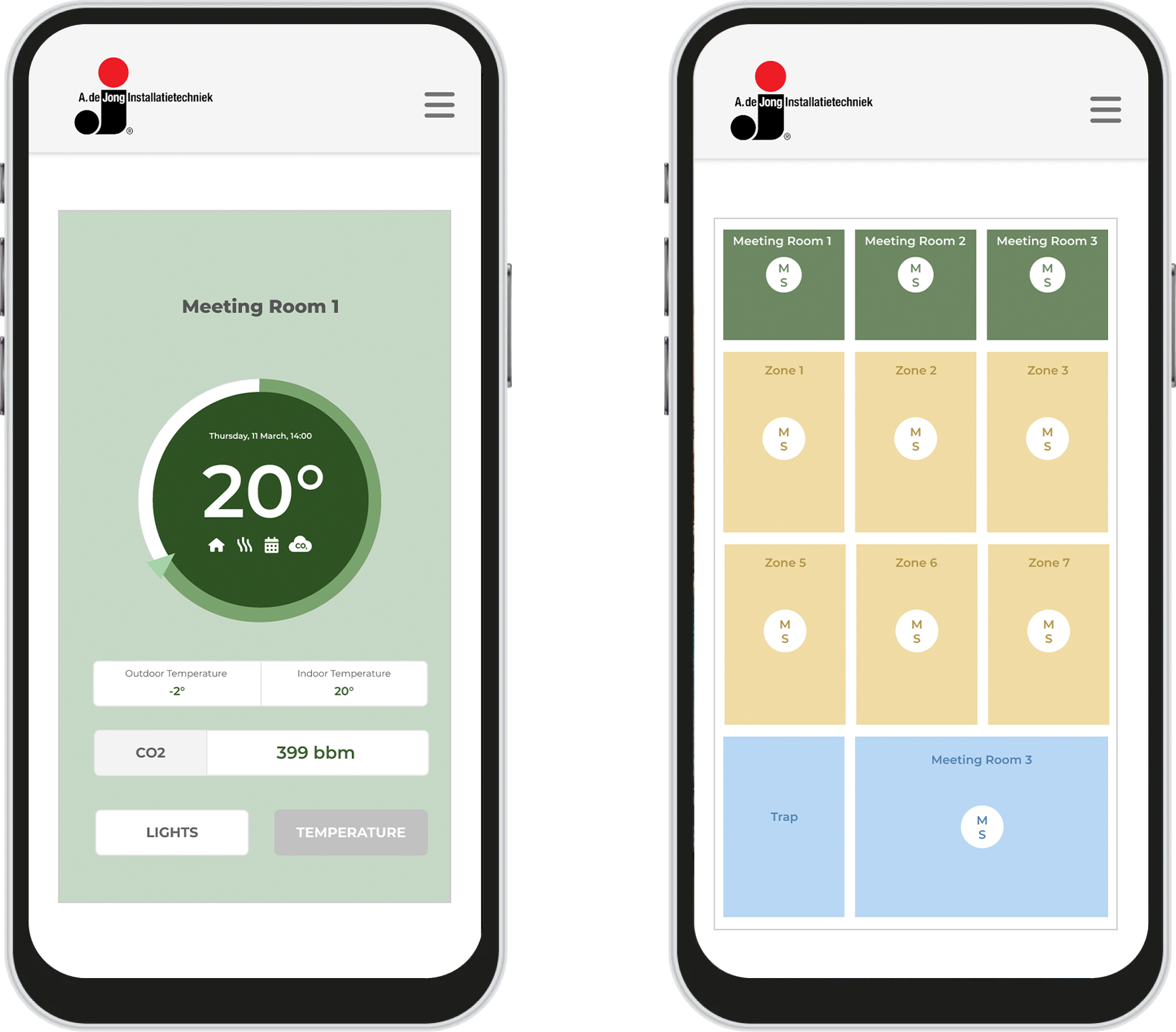
Solution The final concept uses a room-based dashboard that gives users an immediate overview of their home. Each room card presents its most relevant information, such as temperature, lighting status, air quality, or active devices. Users can enter a room to access more detailed controls without losing their sense of location within the home. The interface uses a consistent visual system to distinguish normal states, active devices, unavailable devices, and conditions that require attention. Controls are designed to be recognizable and predictable, reducing the learning curve between different device categories. This approach creates a balance between simplicity and control: new users can complete basic actions immediately, while more experienced users can access additional settings when necessary.
This project demonstrated that designing a smart-home application is not only about giving users more controls. The greater challenge is deciding which information and actions should be visible at each moment.
Organizing the product around rooms created a familiar structure, while consistent controls and clear device states helped reduce complexity. Defining a focused MVP also ensured that the main experience remained understandable before adding advanced automations and personalization.
The next stage would be to test the prototype with users representing different levels of technical confidence. The findings could then be used to refine onboarding, accessibility, navigation, and the presentation of alerts.
The final direction provides a scalable foundation for a smart-home ecosystem while keeping everyday interaction simple, predictable, and reassuring.