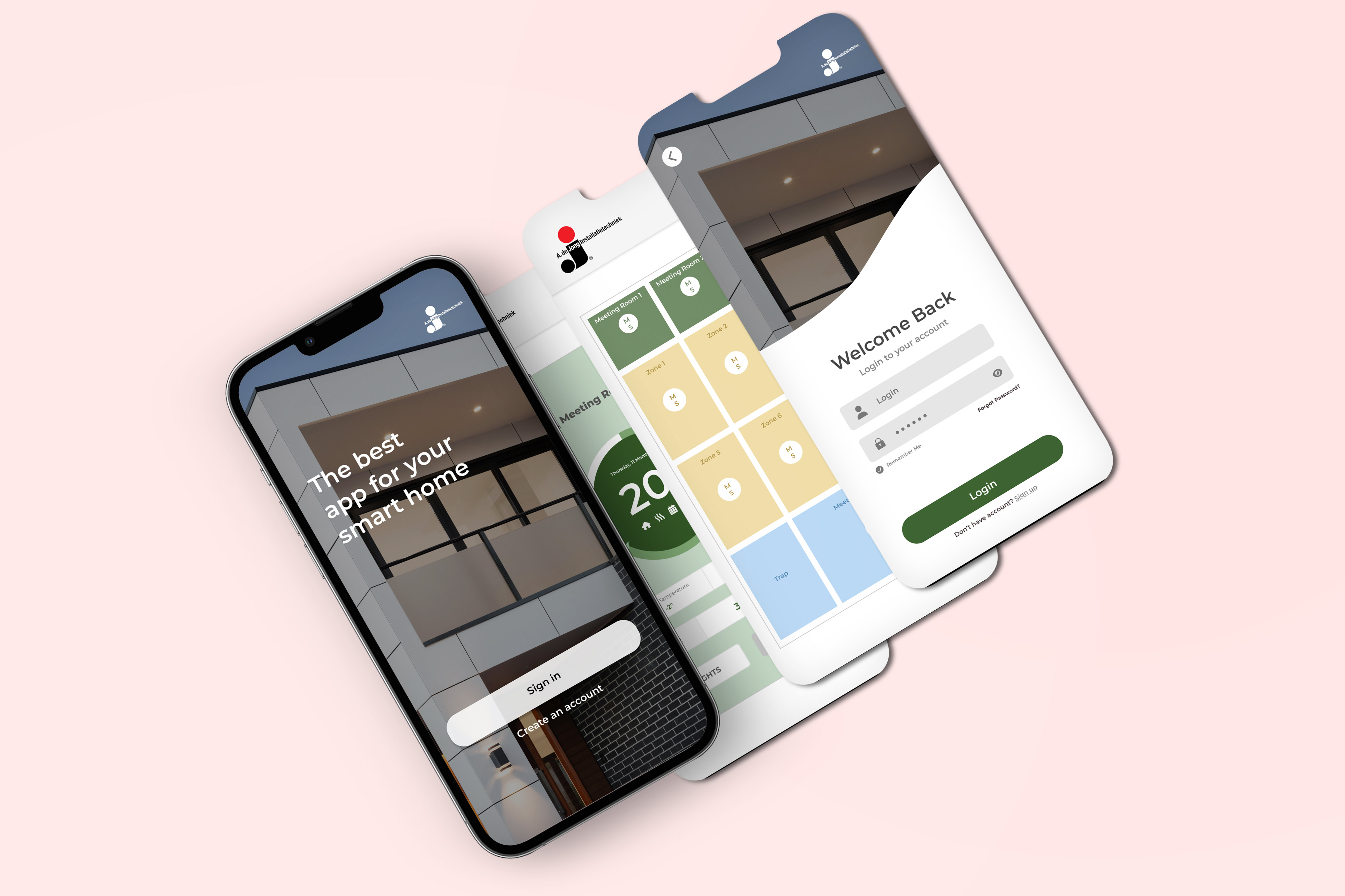
Smart House App
The brief
How might we help users control their entire home from one place without making the experience feel complicated or technical?
The solution needed to make device status immediately understandable, reduce the number of steps required to complete common actions, and give users confidence that their home was operating as expected.
Smart House App: every room of a building, readable at a glance
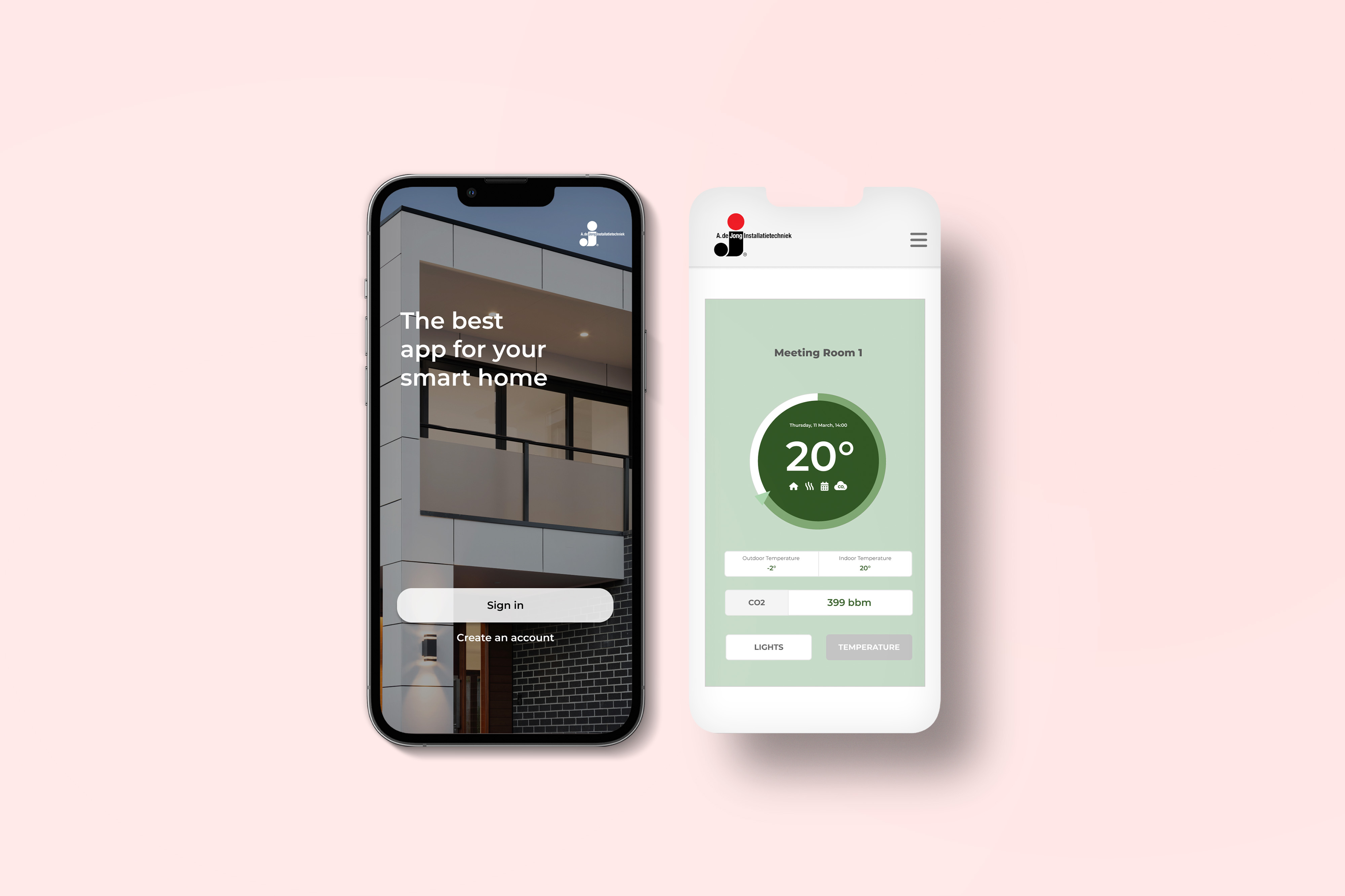
A mobile app to check and change the climate and lights of each room in a building. People log in, pick a room on the building map, and see its temperature, CO2 and lights on one screen. I designed it and built the front-end.
Challenge
Make a tap in the app as trustworthy as a wall switch.
My role
UX/UI Designer and Front-End Developer: research, flows, wireframes, UI, design system and the coded prototype.
Platform
Mobile app, 2023.
Outcome
A working front-end prototype. Testing with people is the next step.
The brief
How might we let people control every room from one place, without it feeling technical?
The status of each room had to be clear at a glance. Common actions had to take fewer steps. And people needed to trust that what they changed had really changed.
01 — The problem
A wall switch shows its result. An app has to prove it
With a wall switch you see the light change. In the app the same tap goes through a phone, a network and a hub before it reaches the room, and the answer has to come back the same way. Usually that is quick. When it is slow, or the device is offline, the screen is the only thing telling people what happened.
Wall switch
App
02 — Research
Three questions shaped the first sketches
What do people need to know the moment they open the app?
Which actions do they repeat most?
What makes a building app feel trustworthy?
What people needed
03 — Structure
From the building map to one value
The app follows the building: log in, find the room on the map, then read and change what is happening in it. Each step answers one question before the next one comes up.
A photo of the building and two actions: sign in or create an account.
Drawn after the 2023 wireframes. Select a screen to read what it is for.
04 — Decisions
Three questions, three options each
Make your own call first. Pick an option to see what I chose and why.
Question 01
How do people find a room?
Trade-offFinding all the lights across the building takes one more step than a tab per device type would.
Why BPeople locate things by place. The map mirrors the floor plan, so a room is where they expect it.
Question 02
What does a room screen lead with?
Trade-offLights sit one tap away, behind a tab.
Why BTemperature and air are what people check most. One dial keeps the screen calm, and the same dial works for lights.
Question 03
When does the screen say a change is done?
Trade-offOn a slow network it feels less instant than flipping the value right away.
Why BThe screen never shows a state that isn’t true. Try both in the remote light test below.
05 — Design
The screens, and a prototype you can use
Built on the wireframes. Switch between wireframe and final, log in, open a room and change its lights.
The best
app for your
smart building
Welcome Back
Login to your account👤 Login🔒 ••••••◉ Remember MeForgot Password?Don’t have account? Sign upMeeting Room 1
The 2023 files


06 — Design system
Colours and parts taken from the screens
Colour · click to copy
Type · Montserrat
20°Dial · 600
Welcome BackTitle · 600
Meeting Room 1Room name · 700
LIGHTS · TEMPERATURETabs · 700 caps
Outdoor TemperatureLabels · 500
Components
07 — Try it
Change the lights in Meeting Room 1, from anywhere
On the left is the lights screen from the app. On the right is the room itself. Change the lights, then take the network away or step out of the room, and watch whether the two still agree.
Meeting Room 1
Couldn’t reach the lights. Nothing changed. Retry
Change the lights on the left to start.
08 — Outcome
A concept and a working prototype, ready for its first test
What exists
The flows, wireframes and final screens for log in, the building map, room climate and lights, plus a front-end prototype I built with these states in code.
Not done yet
It didn’t ship and hasn’t been tested with users, so there are no usage numbers. Some process material was reconstructed for this page.
Next
Test with people of different technical confidence. Tune the waiting time and alerts with real devices. Then onboarding and a screen-reader review.